5. Heading 1
5.1. Heading 2
5.1.1. Heading 3
5.1.1.1. Heading 4
Proxy32 может создать отдельный рабочий стол Windows и запустить на нем свою графическую оболочку. В этом случае программы, которые запущены на общем рабочем столе Windows, не смогут взаимодействовать с графической оболочкой Proxy32 (манипулировать окнами Proxy32 и посылать в них нажатия клавиш и мыши). Режим запуска Proxy32 на отдельном рабочем столе может использоваться для выполнения очень важных задач, когда пользователь хочет исключить возможность вмешательства в его работу со стороны других программ.
Запуск на отдельном рабочем столе Windows по умолчанию выключен, но он может быть включен через Proxy32 Options Dialog.
Когда Proxy32 запущена на отдельном столе, она позволяет пользователю переключаться между отдельным рабочим столом Windows и общим рабочим столом Windows:
There is some text about active sticker (Fig. 5.1.1).
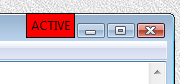
Fig. 5.1.1 Active sticker
This is described in 5.1.1.1 Heading 4.
Tables are created using the following code. A table has a caption. Optionally, you can add a label. You can make references to a table using its label as follows: Table 5.1.1.
Feature name |
Feature description |
Notes |
|---|---|---|
Windows size and position for 3 Proxy32 windows are remembered per each Desktop monitor configuration |
Desktop in MS Window can be spanned across multiple monitors. When Proxy32 exits, it stores monitor configuration (how many monitors and size of each monitor - for example - Windows desktop has 3 monitors, size for monitor #1 is 640x480, size for monitor #2 is 800x600 and size for monitor #3 is 1920x1080). Proxy32 remembers last 4 monitor configurations. For each saved monitor configuration Proxy32 stores last sizes and locations of all 3 windows (MainWindow - aka Workspace, LauncherTree window and Selector window). When Proxy32 starts or when monitor configuration changes while Proxy32 is running, Proxy32 restores last sizes and locations of all 3 windows (MainWindow - aka Workspace, LauncherTree window and Selector window) used for this monitor configuration. |
No user controls |
Proxy32 Floating windows (LauncherTree window and Selector window) can be attached to Main Window, partially attached to Main Window and completely independent from the Main Window |
MenuBar and PopupMenu of the Main Window, HOTKEYS and MOUSE shortcuts. |
|
Main Window frame and titlebar can be removed |
||
Main Window menubar can be removed |
||
Main Window can be moved by dragging while holding left mouse button pressed on the background |
||
Main window can be moved by dragging
while holding left mouse button
pressed on the |
||
Main window can be moved by dragging
while holding left mouse button
pressed on the |
 button